
How to Conduct an SEO Audit: Find and Fix What’s Holding Your Site Back
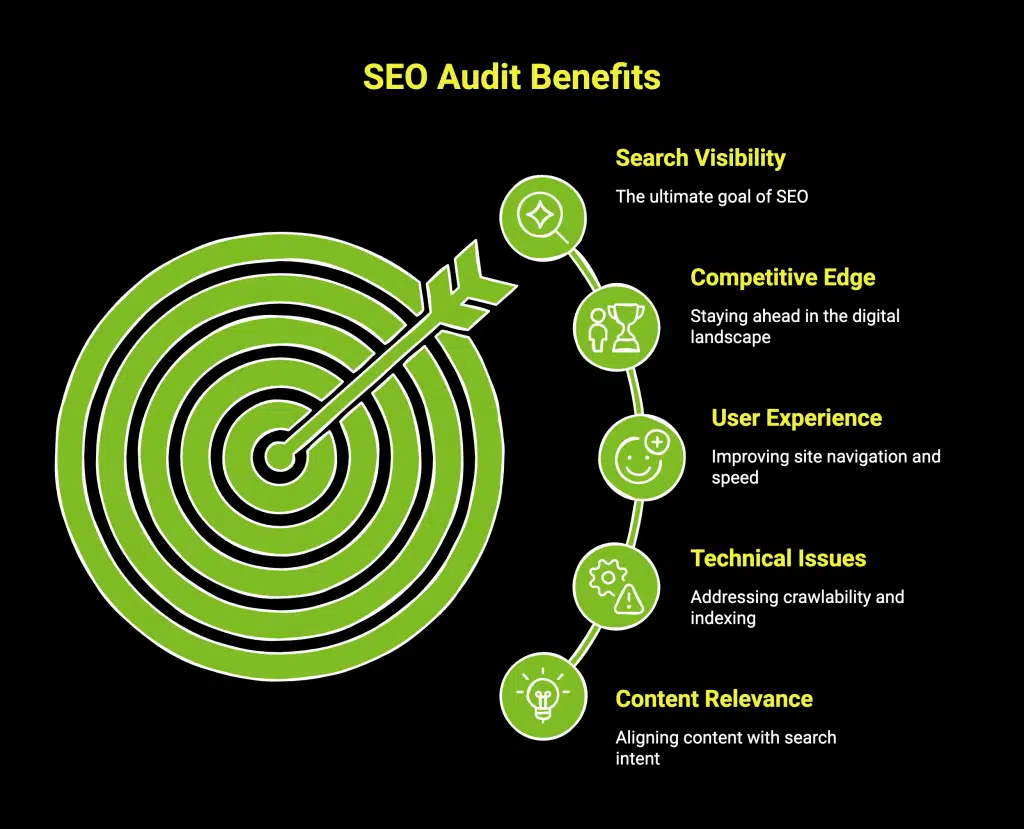
An SEO Audit is a systematic review of your website that finds the specific issues stopping it from ranking and converting, then turns them into a prioritized list of fixes. If your site is not showing up on Google, or its traffic has stalled or dropped, an audit tells you why before you waste money guessing. A complete audit covers five areas: technical health, on-page optimization, content quality, off-page authority, and local visibility. This guide walks through each area step by step, using free tools you already have access to, so you can find what is holding your site back and fix it in the right order. If you would rather have specialists run it for you, The Digital Lab offers search engine optimization with a full audit as the starting point.
To conduct an SEO audit: confirm your site is indexed in Google Search Console, crawl it to find technical errors (broken links, redirects, slow pages, mobile issues), review on-page elements (title tags, meta descriptions, headings, keyword targeting), assess content quality and gaps, check your backlink profile and citations, evaluate local SEO and Google Business Profile, then rank every issue by impact and effort and fix the high-impact problems first.
Most websites that fail to rank are not missing some secret trick; they are held back by a handful of fixable problems that no one has diagnosed. An SEO audit is the diagnosis. It replaces guesswork with a clear picture of what is wrong, how much each issue matters, and what to do first. Skipping the audit and jumping straight to tactics, buying links, adding blog posts, chasing keywords, is how businesses spend months on effort that a single unnoticed technical error was quietly cancelling out.
This guide is written for small business owners, marketers, and anyone responsible for a website’s performance. It explains what an SEO audit is, the tools you need, and a step-by-step process across all 5 pillars of SEO, then shows you how to prioritize and act on what you find. It builds on our companion guides, including the technical SEO checklist for small business websites and the guide to on-page SEO and optimizing every page for local search, which go deeper on two of the areas an audit covers.
What Is an SEO Audit?
An SEO audit is a structured evaluation of every factor that affects how a website ranks in search engines, ending in a prioritized action plan. It is diagnostic, not cosmetic: the goal is to uncover the technical errors, content weaknesses, and authority gaps that limit your visibility, then decide what to fix and in what order. A useful audit answers three questions clearly. What is broken or underperforming? How much does each issue affect rankings and conversions? And what should we do first for the biggest return?
Audits are worth running when traffic drops or plateaus, before a redesign or migration, when entering a new market, when starting work with a new SEO provider, and as a routine health check once or twice a year. Whatever the trigger, the process is the same.
Tools You Need for an SEO Audit
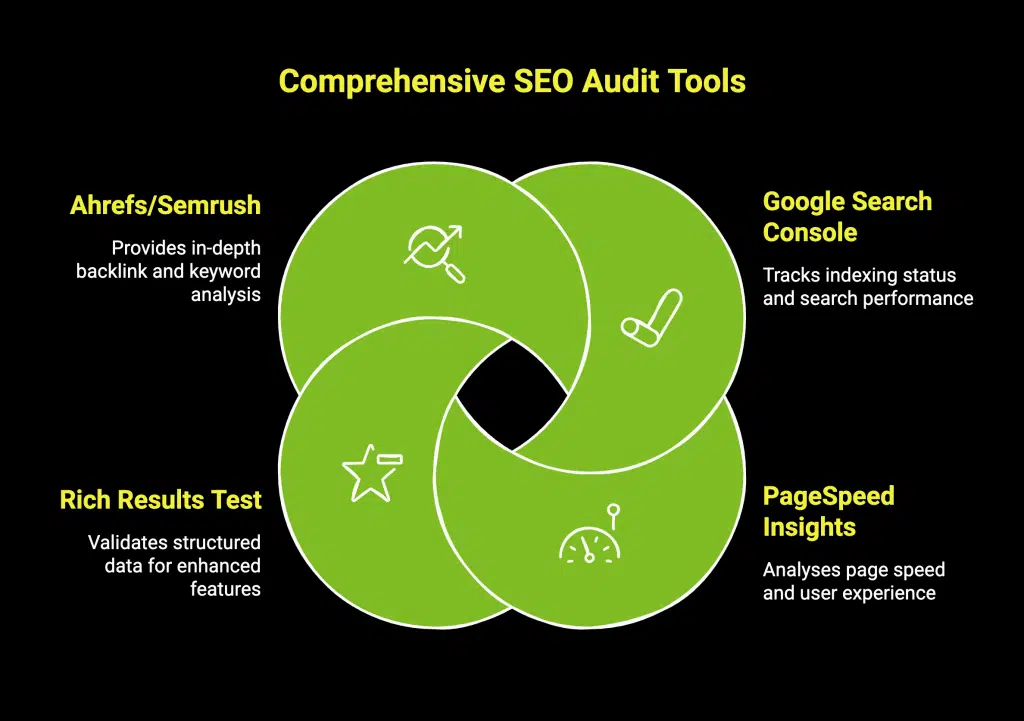
You can run a thorough audit with free seo tools. Google Search Console shows how Google sees your site: which pages are indexed, what queries you appear for, and any coverage or mobile errors. Google Analytics 4 shows how visitors behave once they arrive, which reveals conversion and engagement problems. A site crawler simulates how a search engine crawls your pages to surface broken links, redirect chains, duplicate content, and missing tags. A page speed tool measures load performance on mobile and desktop. Add a backlink checker to review your link profile, and you have everything the core audit requires. Set these up before you start, because the audit is only as good as the data behind it.
Step 1: Confirm Indexing and Crawlability
Start at the foundation: if Google cannot find, crawl, and index your pages, nothing else matters. In Google Search Console, check how many of your pages are indexed and look for coverage errors that show pages Google could not index. Confirm your XML sitemap is submitted and current, and review your robots.txt file to make sure you are not accidentally blocking important pages. A surprising number of ranking problems trace back to a single line in robots.txt or a stray “noindex” tag left over from a site build. This crawlability layer is the base of the technical SEO work every audit depends on.
Step 2: Audit Technical SEO
With indexing confirmed, crawl the site to find the technical issues that suppress rankings even when your content is good. Work through these:
- Broken links and errors. Find and fix 404 errors and broken internal or outbound links that waste crawl budget and frustrate users.
- Redirects. Clean up redirect chains and loops, and make sure old URLs point correctly to their replacements.
- Page speed. Identify slow-loading pages and the causes, oversized images, heavy scripts, no caching, because speed affects both rankings and conversions.
- Mobile experience. Confirm the site is fully responsive and usable on phones, since Google indexes the mobile version first.
- Duplicate content and canonicals. Resolve duplicate pages and set canonical tags so Google knows which version to rank.
- HTTPS and security. Verify the site loads securely over HTTPS with no mixed-content warnings.
- Structured data. Check that relevant schema markup is present and valid so search engines understand your content.
Technical problems are often the highest-impact fixes in an audit because they can hold back an entire site at once.
Step 3: Audit On-Page SEO
On-page SEO is how well each individual page tells search engines and users what it is about. Review your most important pages for these elements:
- Title tags. Each page needs a unique, descriptive title that includes its target keyword and reads naturally.
- Meta descriptions. Each page needs a compelling description that earns the click, even though it is not a direct ranking factor.
- Heading structure. One clear H1 per page and a logical hierarchy of subheadings that reflect the content.
- Keyword targeting. Each page should target one primary topic clearly, rather than several pages competing for the same keyword or one page trying to rank for everything.
- Internal linking. Pages should link to related pages with descriptive anchor text, spreading authority and helping users navigate.
- Image optimization. Images need descriptive file names and alt text, and should be compressed for speed.
Common on-page problems include duplicate or missing title tags, thin pages, and keyword cannibalization where multiple pages compete for the same term. Our guide to on-page SEO covers how to fix each of these in detail.
Step 4: Audit Content Quality and Gaps
Content is what actually ranks, so an audit evaluates whether your pages genuinely answer what people are searching for. Review each key page against search intent: does it fully answer the question a searcher has, or does it fall short of the pages already ranking? Look for thin content that needs expanding, outdated content that needs refreshing, and duplicate or overlapping pages that should be merged. Then look for gaps, valuable topics and questions your customers search for that you have not covered yet, which represent opportunities to earn new rankings. Effective content starts with understanding what your audience searches, which is exactly the process in our guide to keyword research for local businesses, and strong content is where our content writing service turns audit findings into pages that rank.
Step 5: Audit Off-Page Authority
Off-page factors tell Google whether the wider web trusts your site. Review your backlink profile for two things: quality and risk. On the quality side, assess how many relevant, authoritative sites link to you compared with your competitors, since a healthy profile of earned links supports rankings. On the risk side, look for spammy or unnatural links that could trigger a Google penalty, especially if previous SEO work involved buying links. Also check your citation consistency, the way your business name, address, and phone number appear across directories, because inconsistent listings weaken local authority. Building authority safely is a long-term, white-hat effort rather than a quick fix.
Step 6: Audit Local SEO and Google Business Profile
If you serve a local area, your local visibility is often the fastest path to more customers, so the audit checks it specifically. Confirm your Google Business Profile is claimed, verified, complete, and active, with accurate categories, hours, services, and recent photos. Check that your name, address, and phone number are identical across your website, your profile, and every directory. Review your reviews: their number, recency, and whether you respond to them. And confirm your site has clear, well-optimized location and service pages for the areas you serve. Local issues are common and highly fixable, which makes them some of the best early wins an audit surfaces.
Step 7: Prioritize and Build Your Action Plan
An audit that ends in a long undifferentiated list of problems is not useful. The final step turns findings into a plan by ranking each issue on two axes: impact (how much it affects rankings and conversions) and effort (how much work it takes to fix). Tackle high-impact, low-effort items first for quick wins, schedule high-impact, high-effort items as projects, and defer low-impact items. Fix foundational problems, indexing and major technical errors, before optimizing individual pages, because there is no point perfecting a page Google cannot properly crawl. Assign an owner and a date to each item so the audit becomes action rather than a document that sits in a folder.
SEO Audit Checklist
Use this as a repeatable pass over your site:
- Site is indexed; no major coverage errors in Search Console
- XML sitemap submitted and current; robots.txt correct
- No broken links or 404 errors; redirects clean
- Pages load fast on mobile and desktop
- Site is fully mobile responsive
- Duplicate content resolved; canonicals set
- HTTPS active with no mixed-content warnings
- Valid structured data where relevant
- Unique, keyword-targeted title tags and meta descriptions
- Clear heading structure and internal linking
- Content matches search intent; thin and outdated pages fixed
- Content gaps identified and planned
- Backlink profile healthy; no spammy links
- Citations consistent across directories
- Google Business Profile complete, active, and consistent
- Findings prioritized by impact and effort with owners and dates
How Often Should You Run an SEO Audit?
Run a full SEO audit once or twice a year as a health check, and always before a redesign, a migration, or a change of SEO provider. Between full audits, monitor the essentials continuously: watch Google Search Console for new errors, track your rankings and traffic in Google Analytics 4, and address problems as they appear rather than letting them accumulate. Ongoing monitoring means the next full audit finds fewer surprises.
When to Get Professional Help
You can run a solid audit yourself with the free tools and the process above, especially for a smaller site. The point where most owners bring in help is when the audit surfaces problems they are not equipped to fix, when a traffic drop needs urgent diagnosis, or when they want an experienced eye to catch what a checklist misses and to prioritize correctly. The Digital Lab runs comprehensive audits and turns them into prioritized, executed action plans. Explore our SEO service, see our work, or contact us for an audit of your site.
People Also Asked Questions about Seo Audit
What is an SEO audit?
An SEO audit is a systematic review of a website that identifies the technical, on-page, content, off-page, and local issues limiting its rankings, ending in a prioritized action plan to fix them.
Why do I need an SEO audit?
Because ranking problems are usually caused by specific, fixable issues you cannot see without diagnosis. An audit replaces guesswork with a clear plan and prevents wasted effort.
How do I conduct an SEO audit myself?
Confirm indexing in Google Search Console, crawl the site for technical errors, review on-page elements, assess content against search intent, check backlinks and citations, evaluate local Seo, then prioritize fixes by impact and effort.
What tools do I need for an SEO audit?
At minimum, Google Search Console, Google Analytics 4, a site crawler, a page speed tool, and a backlink checker. All core needs can be met with free tools.
How long does an SEO audit take?
A focused audit of a small site can take a few hours to a day; a thorough audit of a larger site takes longer. Fixing the issues found takes longer than the audit itself.
What are the main parts of an SEO audit?
Technical SEO, on-page SEO, content quality and gaps, off-page authority (backlinks and citations), and local SEO, followed by prioritization.
What is the most important part of an SEO audit?
Indexing and technical health come first, because if search engines cannot crawl and index your pages properly, no amount of content or link work will help.
How often should I run an SEO audit?
A full audit once or twice a year, plus continuous monitoring of Search Console and analytics, and always before a redesign, migration, or provider change.
What is a technical SEO audit?
The part of an audit that checks crawlability, indexing, broken links, redirects, page speed, mobile experience, duplicate content, HTTPS, and structured data.
What is an on-page SEO audit?
A review of each page’s title tag, meta description, headings, keyword targeting, internal links, and images to ensure the page clearly communicates its topic.
What is a content audit?
An evaluation of whether your pages match search intent, along with finding thin, outdated, or duplicate content and identifying valuable topics you have not yet covered.
How do I audit my backlinks?
Use a backlink checker to review the quality and relevance of sites linking to you and to flag spammy or unnatural links that could risk a Google penalty.
What is keyword cannibalization?
When multiple pages target the same keyword and compete with each other, splitting their ranking potential. An audit finds these so you can consolidate or differentiate the pages.
Can an SEO audit find why my traffic dropped?
Often yes. A drop usually traces to a technical error, an algorithm update, lost backlinks, or content that has fallen behind competitors, all of which an audit investigates.
Does an SEO audit include local SEO?
Yes, for local businesses it should. That means checking Google Business Profile, name, address, and phone consistency, reviews, and location pages.
What do I do after an SEO audit?
Turn the findings into a prioritized action plan ranked by impact and effort, fix foundational and high-impact issues first, and assign an owner and date to each task.
Are free SEO audit tools good enough?
Free tools like Google Search Console and Analytics cover the core of a solid audit. Paid tools add depth and speed, but you can diagnose most issues without them.
How do I prioritize the issues an audit finds?
Rank each issue by impact and effort. Do high-impact, low-effort fixes first, schedule high-impact projects, and fix foundational technical problems before optimizing individual pages.
Should I get a professional SEO audit?
Consider it when the audit finds issues you cannot fix, when a traffic drop needs urgent diagnosis, or when you want experienced prioritization and execution rather than a checklist alone.
How do I get an SEO audit from The Digital Lab?
Contact us for a comprehensive audit of your site that we turn into a prioritized, executed action plan tailored to your business and market.
